
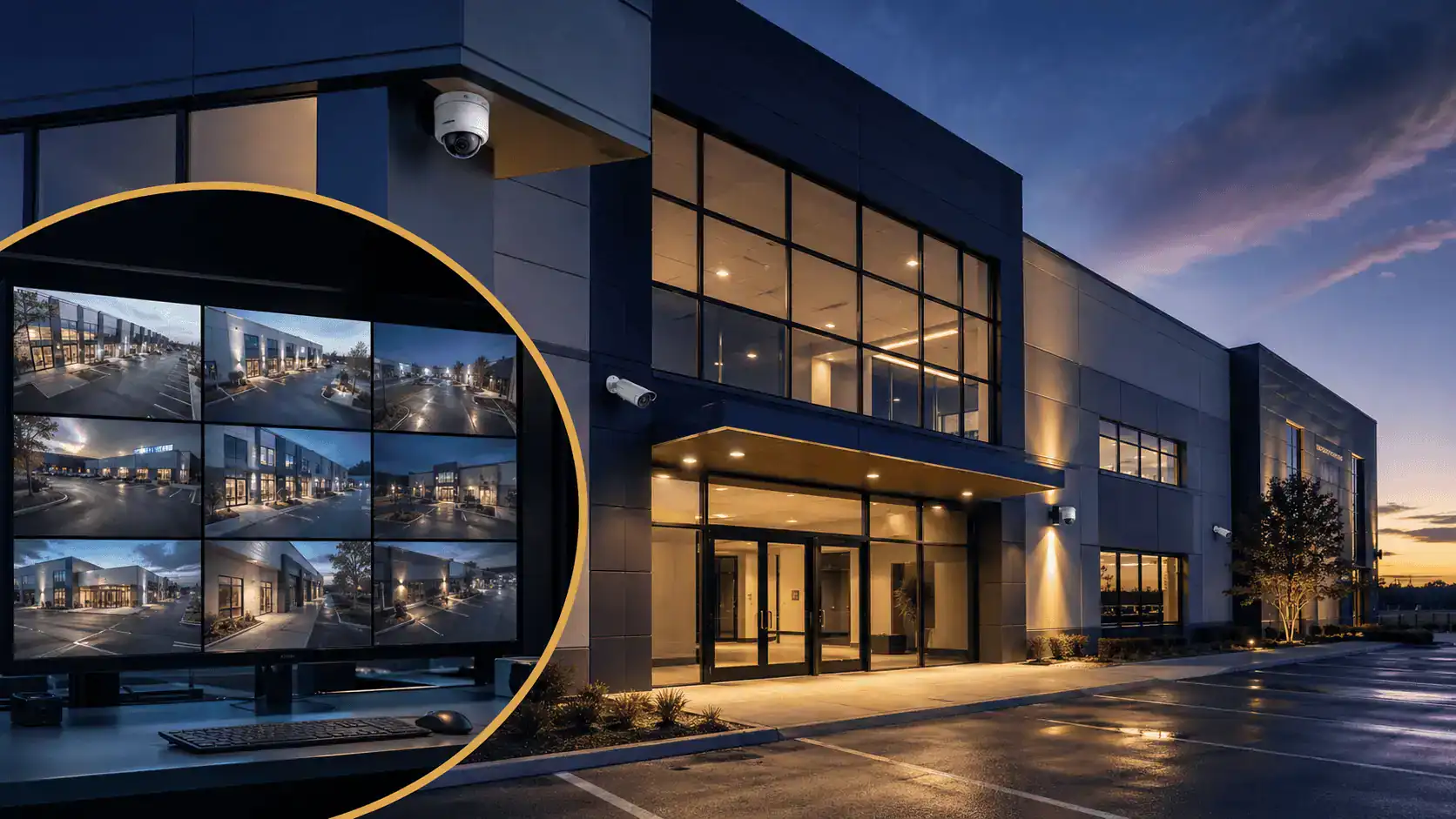
Choosing a business surveillance system in 2026 looks nothing like it did three years ago. The hardware is sharper, storage often lives in the cloud rather than a closet, and software handles work a human used to do. The wrong system still wastes money. The cost of getting it wrong is higher now, because the right system does much more than record video.
This guide covers how to assess your property, what actually matters in cameras and recording, the compliance issues that trip buyers up, and what realistic budgets look like. It is written for property managers, building owners, and operations leads making the call.

Why It Matters
Surveillance pays for itself in four ways: deterrence, evidence, liability protection, and insurance. Visible cameras reduce attempted intrusions. When something does happen, recorded footage shortens investigations and supports prosecutions.
In slip-and-fall and workers’ comp disputes, video routinely contradicts inflated claims. And many commercial insurance carriers offer premium credits for monitored systems with documented retention. Property crime in the U.S. dropped 8.1% from 2023 to 2024 and burglary fell 8.6%, according to FBI Uniform Crime Reporting data (FBI, 2024).
National averages do not protect any single building, but the trend lines back up what BSS sees in the field: well-designed surveillance, paired with monitoring, moves the numbers.
Start With the Property, Not the Catalog
Most bad surveillance installs start with a vendor catalog. The right ones start with a walk of the building. Before comparing cameras, document four things:
- Entry and exit points: front lobby, loading docks, side and rear doors, roof access, garage gates.
- High-value or high-risk zones: registers, server rooms, mechanical rooms, inventory areas, parking.
- Blind spots in existing coverage: corners, stairwells, elevator banks, anywhere a person can stand unobserved.
- Operational pinch points: places where incidents, slip-and-falls, or disputes have happened before.

That walk is the brief. Everything that follows (camera count, lens type, mounting, retention) should answer to it. A 600-employee Class A office tower in Midtown and a 12,000 sq ft warehouse in Newark do not need the same system. A vendor who quotes either one without walking the site first is a red flag.
“The biggest mistake I see is buyers treating surveillance like a product purchase instead of a security decision. We start every conversation with a site walk. Once you know what you’re trying to see, what to buy gets a lot simpler.” – Amanda DeAlmeida, Executive Vice President, Building Security Services
Camera Types: What Actually Matters in 2026
Most commercial deployments today are IP-based. The DVR-and-analog approach still exists for retrofits, but it is no longer the default for new buildings. Here is the practical breakdown.
IP vs. Analog
IP cameras transmit digital video over your network to a Network Video Recorder (NVR) or directly to the cloud. Analog cameras send video over coaxial cable to a Digital Video Recorder (DVR). The trade-offs:
| Feature | IP / NVR | Analog / DVR |
|---|---|---|
| Resolution | 2MP to 12MP standard, 4K available | Typically capped around 1080p |
| Cabling | Cat6 / PoE (single cable for power and data) | Coax plus separate power |
| Analytics | On-camera AI, line crossing, object classification | Basic motion only |
| Remote access | Native, encrypted | Requires added hardware |
| Best for | New installs, scalable systems | Existing coax retrofits |
For a deeper comparison, see our breakdown of CCTV vs. IP cameras.

Form Factor: Bullet, Dome, PTZ, Multi-Sensor
- Bullet: long-range, visible, good for perimeters and parking.
- Dome: discreet, vandal-resistant, the standard for lobbies and interior spaces.
- PTZ (Pan-Tilt-Zoom): covers wide areas with one unit, useful for actively monitored spaces and less useful for unattended recording.
- Multi-sensor: 180° or 360° coverage from one housing, which reduces camera counts in large open areas like loading bays or atriums.
The right pick depends on the room, not the spec sheet. Our guide to bullet vs. dome cameras covers placement decisions in more detail.
The Features That Earn Their Keep
Resolution, Low-Light, and Frame Rate
4K is now affordable enough for high-priority zones like entries, registers, and loading docks. For everywhere else, 4MP to 5MP cameras are the value sweet spot in 2026. More important than raw resolution is sensor quality in low light.
A good 4MP camera with a wide dynamic range sensor and IR illumination will outperform a cheap 4K camera in a dim parking garage at 2 a.m. Frame rate matters too: 15 fps is the practical minimum for usable forensic review, while 30 fps is worth the storage cost in cash-handling areas where you may need to read individual bills or count items changing hands.
AI Video Analytics
This is the biggest practical change since 2022. Modern cameras run analytics on the device itself, classifying people vs. vehicles, detecting line crossing, flagging loitering, counting occupants, and reading license plates. The benefits compound:
- Fewer false alerts (cars and rustling tarps no longer trigger overnight notifications)
- Faster forensic search (“show me every person in a red shirt at the loading dock between 6 and 8 p.m.”)
- Real-time deterrence when paired with monitored response
The same analytics deliver value beyond security. People-counting tracks customer flow at retail entrances. Dwell-time analytics show where shoppers actually stop. Heatmaps surface which corners of a warehouse get foot traffic and which sit idle. For multi-tenant office buildings, occupancy data from cameras now feeds HVAC scheduling and cleaning rotations. The same hardware that records a break-in can pay for itself by trimming operating costs the rest of the year.
If you plan to combine cameras with a live response service, on-camera analytics is the feature that makes remote video monitoring economically viable.
Cybersecurity: Your Cameras Are Network Devices
Every IP camera on your network is also a potential entry point for someone trying to get in. Compromised cameras have been used as pivot points into corporate networks more than once, and the typical commercial install ships with weak default credentials.
The basics that should be non-negotiable on any 2026 spec:
- Default passwords changed at install, with credentials stored in a managed vault rather than a sticky note in the IT closet
- Encrypted video streams (TLS for live, encrypted-at-rest for storage)
- Camera traffic isolated on its own VLAN, separated from corporate data and guest WiFi
- Regular firmware updates as part of a maintenance contract, not when a tech happens to be on-site
- Equipment that supports the open ONVIF standard, which keeps you out of single-vendor lock-in and tends to ship with better security hygiene than off-brand alternatives
If your installer cannot answer how they handle each of these, find a different installer.

Storage: Local, Cloud, or Hybrid
Three options, each with trade-offs:
- Local NVR: lower recurring cost, full retention control, but vulnerable to physical theft or damage.
- Cloud-only: offsite by default, accessible anywhere, but bandwidth-hungry and dependent on monthly fees.
- Hybrid: local recorder for primary retention, cloud sync for critical events and offsite backup. This is the standard recommendation for most commercial buildings now.
Match retention to your risk profile. Most commercial properties run 30 to 90 days. Healthcare, finance, and properties with frequent insurance claims push to 180+ days. Verify the math before signing. A 16-camera 4K system recording 24/7 will eat through storage faster than you expect.
Integration With the Rest of Your Security
Cameras alone are a blind investment. The systems that earn their cost are integrated with access control, intrusion alarms, and intercoms. When a credential is denied at a turnstile, you want video pinned to that event automatically.
When an alarm trips after hours, the dispatcher should see the relevant camera feed before they pick up the phone. Open standards like ONVIF (for video) and OSDP (for access control) keep these handoffs clean across vendors. That is what real systems integration delivers.

Compliance: NDAA and What It Means for You
If your tenant base includes federal agencies, federal contractors, or recipients of federal funding (universities, many healthcare systems, transportation authorities), the equipment you install matters legally, not just operationally.
Section 889 of the 2019 National Defense Authorization Act prohibits the federal government from procuring or using video surveillance equipment manufactured by certain Chinese-headquartered companies, including Hikvision and Dahua, regardless of brand label or where the gear was assembled (see Avigilon’s NDAA compliance guide for the full breakdown).
The FCC extended this in 2022 by banning new equipment authorizations for those manufacturers.
For most BSS clients in commercial real estate, the practical rule is simple: ask your installer whether the proposed equipment is NDAA compliant, and ask in writing. The cost difference is small. The risk of a forced rip-and-replace later is not.
What to ask your installer about NDAA:
- Is every proposed camera, recorder, and component on your spec sheet NDAA Section 889 compliant?
- Will you provide written certification, by model number, with the proposal?
- If a model is later added to the prohibited list, what is your replacement policy?
“In NYC we deal with a lot of mixed-tenant buildings. One floor is a federal contractor, the next is a private firm. The owner usually doesn’t know they have an exposure until a tenant audit surfaces it. We default every spec to NDAA compliant. It removes the question.” – Craig Battle, NY Branch Manager, Building Security Services
Cost: What to Expect in 2026
Pricing varies with site conditions, but for a typical commercial deployment in the NYC and NJ market, plan for these ranges:
| System size | Typical equipment + install | Recurring (monitoring + cloud) |
|---|---|---|
| Small office (4 to 6 cameras, 1080p to 4MP) | $4,000 to $8,000 | $50 to $200/mo |
| Mid-size building (8 to 16 cameras, mixed 4MP and 4K) | $10,000 to $25,000 | $200 to $600/mo |
| Large property (16+ cameras, integrated, AI analytics) | $25,000 to $75,000+ | $600 to $2,000+/mo |
Costs go up with lift requirements, long cable runs, exterior weatherproofing, conduit work, retention beyond 90 days, license-plate cameras, and per-camera AI analytics licensing. They come down with reusable existing infrastructure, in-place cabling, and consolidating cameras using multi-sensor units in large open areas.
Insurance Premium Impact
Most commercial property insurers will credit a monitored surveillance system against premiums, often somewhere in the 5% to 20% range depending on the carrier, property type, and what else is in place (alarms, access control, on-site personnel).
Two things actually move the needle with the underwriter: documented retention (a written policy, not a verbal one) and a monitored response component. A pile of locally recorded footage that no one watches is worth less to an insurer than a smaller system tied to a central station.
Before you finalize a system, ask your broker for a written list of what their carrier credits and what documentation they need. The answer often shapes the spec.

Camera Placement: The Decisions That Make or Break a System
Where to Put Cameras
- Every entry and exit, with at least one camera positioned to capture clear face shots at average human height (5’6″ to 6’0″).
- Loading docks and service entrances. These are the most under-covered areas in most commercial properties.
- Cash handling areas, registers, and safes.
- Parking lots and garages, with attention to lighting and license-plate capture angles at entry and exit lanes.
- Server rooms, mechanical rooms, and telecom closets.
- Stairwells and elevator lobbies on every floor.
How Many Cameras
There is no clean formula. A useful starting baseline: one camera per entry/exit, one per high-risk zone, one per 1,500 to 2,500 sq ft of open commercial floor space, plus exterior coverage. Most small-to-mid commercial buildings end up between 8 and 24 cameras. Scale from there based on the site walk, not the square footage alone.
Common Mistakes to Avoid
- Buying on resolution alone. A 4K camera in a poorly lit room with a bad lens is worse than a 4MP camera with proper optics.
- Skipping the integration question. A standalone surveillance system is half a security system.
- Ignoring retention math. Storage that fills up in 14 days is useless when an incident surfaces 30 days later.
- Treating maintenance as optional. Lenses fog, firmware needs updates, hard drives fail. A system without a service contract degrades within 18 months.
- Choosing the cheapest installer. Camera placement is the entire game. Labor matters more than hardware.
For a broader view of how surveillance fits with the rest of building security, our guide on how to properly secure an office building connects the pieces.
NYC and NJ: Local Considerations
In New York City, surveillance in residential buildings intersects with tenant privacy expectations and, for some property types, the POST Act for buildings interacting with NYPD data-sharing programs. Common spaces are fair game. Private units and bathrooms are not. New Jersey’s wiretap statute treats audio recording differently from video, so most commercial deployments disable audio capture by default to stay clear of one-party-consent edge cases.
BSS handles surveillance for commercial properties across New York City and across NJ counties from Bergen to Middlesex. Local code, building agreements, and tenant lease clauses all shape what you can and cannot do. Vet your installer’s familiarity with the jurisdiction, not just the technology.
When Cameras Aren’t Enough
Cameras record, they do not intervene. That single fact decides how surveillance fits into a real security plan. For most commercial properties, the right configuration pairs cameras with access control and a monitored response component, whether that’s a live operator or a central station. A system that is recorded but never watched is an evidence collection tool, useful after the fact and largely irrelevant before it.
Here is what that looks like in practice. An after-hours loitering alert from an AI-equipped exterior camera at a Newark warehouse trips a notification at the central station. The operator pulls the live feed, confirms the activity, makes a verbal warning over an on-site speaker, and dispatches a mobile patrol unit.
The intruder leaves before the patrol arrives. No incident, no claim, no police report. That is the difference between recorded surveillance and protected surveillance, and it is the case BSS has been making for 40 years. Our analysis of automated security systems vs. security personnel covers where each one outperforms the other.
Frequently Asked Questions
How much does a business surveillance system cost in 2026?
For a typical NYC or NJ commercial property, expect $4,000 to $8,000 for a small office system (4 to 6 cameras), $10,000 to $25,000 for a mid-size building (8 to 16 cameras), and $25,000 to $75,000+ for larger integrated deployments with AI analytics. Recurring monitoring and cloud storage typically run $50 to $2,000 per month depending on scale.
What’s the difference between IP and analog cameras?
IP cameras transmit digital video over your network and support higher resolutions, on-camera AI, and remote access natively. Analog cameras send video over coax to a DVR, are capped around 1080p, and lack modern analytics. New commercial installs are almost always IP. Analog only makes sense when you are retrofitting onto existing coaxial cabling.
Can security cameras lower my business insurance premiums?
Often, yes. Most commercial property insurers credit monitored surveillance systems somewhere in the 5% to 20% range, with the larger credits going to systems that combine documented retention policies with central-station monitoring. Ask your broker for the carrier’s specific list of qualifying features and required documentation before you finalize the spec.
Wired or wireless cameras: which is better for a business?
Wired wins for almost every commercial application. Wired (PoE) cameras are more reliable, higher bandwidth, and harder to interfere with than wireless units. Wireless makes sense for short-term needs (construction sites, temporary events) or buildings where running cable is genuinely impossible. For a permanent commercial install, plan on wired.
Do I need to notify employees about workplace surveillance?
In most cases, yes. Federal law (NLRA) and many state laws require visible notification of monitoring in workplaces, and audio recording adds another layer of consent rules. NJ commercial properties typically post visible camera signage at all entrances and include a written notice in the employee handbook. Talk to employment counsel before deploying audio recording or covert cameras anywhere on the property.
Are Hikvision and Dahua cameras legal to use?
They remain legal for most private commercial use, but Section 889 of the NDAA prohibits federal agencies, federal contractors, and recipients of federal funding from using them. The FCC also banned new equipment authorizations in 2022. If your building has federal-adjacent tenants or grant recipients, default to NDAA-compliant equipment to avoid a future rip-and-replace.
Do I need professional monitoring or is recording enough?
Recording captures evidence after the fact. Monitoring (live remote monitoring or a central station triggered by AI alerts) is what enables real-time deterrence and faster response. If your goal is incident review and insurance documentation, recording suffices. If the goal is preventing incidents, monitoring is the part that does that work.
Can I integrate cameras with my existing access control system?
Yes, and you should. Integration lets a denied credential, propped door, or alarm event automatically pin the relevant camera feed for review. Most modern access control and video management platforms support open standards (ONVIF, OSDP) that make this straightforward, but verify compatibility before purchase.
The Bottom Line
Build the system backwards from the property. Walk the site first, then choose cameras, then storage, then integration. Modern IP systems with AI analytics, hybrid storage, hardened cybersecurity, and tight access control integration are dramatically more useful than the DVR-and-coax setups they replaced. The buying mistakes have not changed in a decade: skipping the site walk, undercounting storage, and treating installation as a commodity.
BSS has been designing and installing commercial security systems for more than 40 years across New York and New Jersey. We are women-led and we handle full surveillance systems, door access control hardware, and central station monitoring as one integrated practice. If you want a walk of your property and a written quote, request a quote or call us directly.


